
My My, Hey Hei
May 23, 2012 at 11:47 AM by Dr. Drang
I held off on updating my iMac to 10.7.4 until yesterday. It went smoothly, except for one very weird change to my Terminal settings. The same thing happened in Terminal on my MacBook Air when I upgraded it a week or so ago.
The first time I launched Terminal after the update, this is what it looked like:
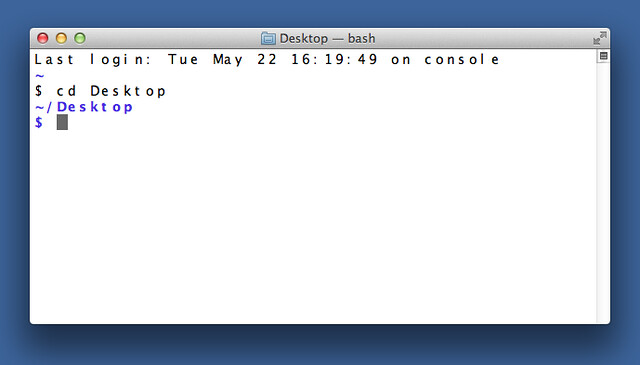
The font has changed from DejaVu Sans Mono to Hei, a Chinese font that’s r e a l l y w i d e (to accommodate wide glyphs, I assume). Luckily, a quick visit to the Preferences changed it back.
Why did the update do this? I have no idea. Maybe there’s a conflict with some internal ID value, maybe Apple, keeping track of my age, thinks my vision is even worse than it is. Whatever the reason, I thought it odd that it happened to both my computers, but I haven’t heard of anyone else having this problem.